Page 2 of 4

Re: Cool canvas Design (Easy to use)

PostPosted: Mon May 23, 2011 10:26 pm
by Hblade
LCL:

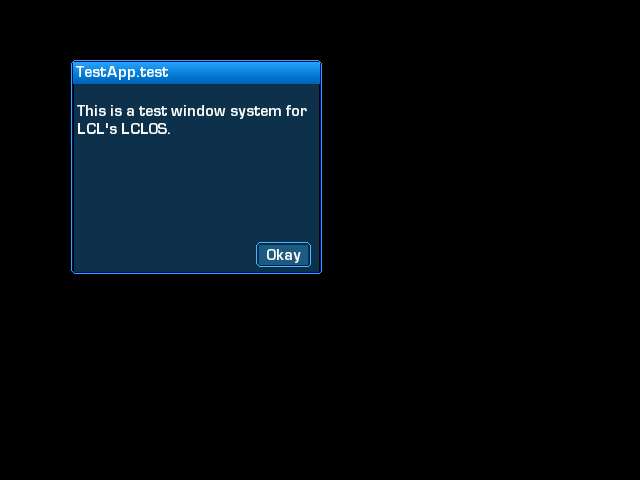
So far, this new window system is looking awesome! :) I'll make a copy for buttons, too.

Re: Cool canvas Design (Easy to use)

PostPosted: Mon May 23, 2011 10:31 pm
by Hblade
Here you are, LCL! All done by canvas :)

Same function as before, the same commands :) To make buttons, simply do the same thing as Drawwin but this time use DRAWBTN instead :)
scrn2.png

yuz.zip
(40.02 KiB) Downloaded 148 times

Re: Cool canvas Design (Easy to use)

PostPosted: Tue May 24, 2011 2:15 am
by SuperSonic
Hblade wrote:Hey cool test dude :)

Thanks :D
Could tell me how to resize a canvas in real-time? I wanna make a function to resize windows :roll:

Also, could I use this script in my game? I will givs credit^^

Re: Cool canvas Design (Easy to use)

PostPosted: Tue May 24, 2011 3:43 am
by Hblade
Sure you can lol ^^ And the only way to do that is to, well, make the canvas = to the view size and then make the canvas parented to the view, then edit the function to where the.. well its hard to explain xD Basically you'd have the box size drawn to a location within the canvas Oo which is sorta complicated to say the least xD Your function would come out something like this
Code: Select all
DRAWWIN(x, y, width, height, borderR, borderG, borderB, bg_r, bg_g, bg_b);
//Example:
DRAWWIN(width/2, height/2, 500, 100, 255, 255, 255, 255, 255, 255);


lol :D

Re: Cool canvas Design (Easy to use)

PostPosted: Tue May 24, 2011 2:55 pm
by lcl
Hblade wrote:Here you are, LCL! All done by canvas

Same function as before, the same commands. To make buttons, simply do the same thing as Drawwin but this time use DRAWBTN instead
scrn2.png

yuz.zip

Wow, thanks! :)

I can't try it now, but
I'll check it when I get back home.. :)

If it's easy enough to add in lclOS, I will use it (after doing some modifications to it, maybe).

Thanks! :D

Re: Cool canvas Design (Easy to use)

PostPosted: Tue May 24, 2011 3:08 pm
by Hblade
I modded it :) Now you can control the top color as well, take a look at this
Color_S.png


The code:
Code: Select all
void DRAWWIN(int BR, int BG, int BB, int FR, int FG, int FB, int TR, int TG, int TB) {
    int i;
    int i2;
    erase(0, 0, 0, 1);
    setpen(BR, BG, BB, 0, 1);
    moveto(3, 0);
    lineto(width-6, 0);
    putpixel(2, 1);
    putpixel(1, 2);
    moveto(0, 3);
    lineto(0, height-5);
    putpixel(1, height-4);
    putpixel(2, height-3);
    moveto(3, height-2);
    lineto(width-5, height-2);
    putpixel(width-4, height-3);
    putpixel(width-3, height-4);
    moveto(width-3, height-5);
    lineto(width-3, 3);
    putpixel(width-4, 2);
    putpixel(width-5, 1);
    setpen(BR-155, BG-155, BB-155, 0, 1);
    moveto(4, 1);
    lineto(width-7, 1);
    putpixel(3, 2);
    putpixel(2, 3);
    moveto(1, 4);
    lineto(1, height-6);
    putpixel(2, height-5);
    putpixel(3, height-4);
    moveto(4, height-3);
    lineto(width-6, height-3);
    putpixel(width-5, height-4);
    putpixel(width-4, height-5);
    moveto(width-4, height-6);
    lineto(width-4, 4);
    putpixel(width-5, 3);
    putpixel(width-6, 2);
    setpen(FR, FG, FB, 0, 1);
    for (i=3;i<height-3;i++) {
        moveto(3, i);
        lineto(width-6, i);
                             }
    for (i2=2;i2<24;i2++) {
        setpen(TR-i2*3, TG-i2*3, TB-i2*3, .35, 1);
        moveto(2, i2);
        lineto(width-5, i2);
                          }
    setpen(BR, BG, BB, 0, 16);
               }


And yes, its as easy as one line of code :)

Code: Select all
DRAWWIN(br, bg, bb, mr, mg, mb, tr, tg, tb);

Replace br bg and bb with the border RGB. Replace mr mg and mb with the main backgrounds rgb. Replace tr tg and tb with the top bar's rgb. simple as that :D

Re: Cool canvas Design (Easy to use)

PostPosted: Tue May 24, 2011 4:22 pm
by lcl
Cool! :)

BUT I won't be able to use it in lclOS.

I looked at the code you sent in the last post of yours.
It seems that there is one canvas for one window. And since GE can't handle canvas clones
having different drawings I wouldn't be able to make it open more than one window at a time.. :P

But anyway, that's nice work you've done! :) +1 for that!

Re: Cool canvas Design (Easy to use)

PostPosted: Tue May 24, 2011 4:27 pm
by Hblade
lol thanks

Re: Cool canvas Design (Easy to use)

PostPosted: Tue May 24, 2011 5:07 pm
by SuperSonic
Hblade wrote:to say the least xD Your function would come out something like this
Code: Select all
DRAWWIN(x, y, width, height, borderR, borderG, borderB, bg_r, bg_g, bg_b);
//Example:
DRAWWIN(width/2, height/2, 500, 100, 255, 255, 255, 255, 255, 255);


I will try it out. Could you give me some pointers for editing the DRAWWIN function?

Re: Cool canvas Design (Easy to use)

PostPosted: Tue May 24, 2011 5:37 pm
by Hblade
I wouldn't know where to begin myself xD

Re: Cool canvas Design (Easy to use)

PostPosted: Tue May 24, 2011 9:25 pm
by Game A Gogo
This inspires me to make a mini OS out of one canvas O:

Re: Cool canvas Design (Easy to use)

PostPosted: Tue May 24, 2011 11:20 pm
by Hblade
Hey man go for it :D If anyone can do it, its you

Re: Cool canvas Design (Easy to use)

PostPosted: Wed May 25, 2011 12:37 am
by Game A Gogo
I'll need to make a font system with lineto functions... will be fun!

Re: Cool canvas Design (Easy to use)

PostPosted: Wed May 25, 2011 12:39 am
by jimmynewguy
this is quite spiffy.

Gogo, you and your crazy antics!

Re: Cool canvas Design (Easy to use)

PostPosted: Wed May 25, 2011 12:51 am
by Hblade
lol agreed. Gogo has his weird moments but they always turn out amazing :)