Page 2 of 4
Re: actor n background

Posted:
Fri Jun 08, 2012 8:07 amby master0500
it easier to make it you self or request it as you may not find what you need and you'll avoid problems with copywrite
Re: actor n background
Posted:
Fri Jun 08, 2012 1:16 pmby dzuncoi
what program do u use to creat animations guy ?
Re: actor n background
Posted:
Fri Jun 08, 2012 1:35 pmby MrJolteon
I use MS Paint.
Re: actor n background
Posted:
Fri Jun 08, 2012 1:42 pmby dzuncoi
really

let me try, thank u
Re: actor n background
Posted:
Fri Jun 08, 2012 2:36 pmby dzuncoi
hey guy, when i creat an animation, there is still a white background behind the animation, how can i delete this ?
Re: actor n background
Posted:
Fri Jun 08, 2012 3:44 pmby happyjustbecause
You have to have a transparent background, I'm not sure how to do it MS paint, I use a different program. I found these tutorials though:
http://www.ehow.com/how_5649617_make-im ... paint.htmlhttp://www.youtube.com/watch?v=AKyHxp_QSiU
Re: actor n background
Posted:
Fri Jun 08, 2012 6:43 pmby MrJolteon
On Win7, the only way to remove the background in MS Paint is by saving as a space-wasting BMP.
I recommend Paint.NET to remove backgrounds.
Re: actor n background
Posted:
Sat Jun 09, 2012 2:32 amby master0500
Re: actor n background
Posted:
Sat Jun 09, 2012 8:00 amby dzuncoi
MrJolteon wrote:On Win7, the only way to remove the background in MS Paint is by saving as a space-wasting BMP.
I recommend Paint.NET to remove backgrounds.
yeah, i move from MS Paint to Paint.net recently, its more convenient

Re: actor n background
Posted:
Sat Jun 09, 2012 8:11 amby dzuncoi
hey guys, can u show me when we use draw actor event ? and the differences between yvelocity n y ? such as a code like this:
- Code: Select all
y+ = 5
n
- Code: Select all
yvelocity+ =5
Re: actor n background
Posted:
Sat Jun 09, 2012 7:11 pmby skydereign
You should be able to test that yourself. The results will be pretty obvious. If you type in y+=5 in draw, your actor will move at a constant speed of 5 pixels per frame. If you use yvelocity+=5 your actor will increase in speed by 5 pixels per frame (accelerating extremely fast). So, if you want to use constant movement (as in the first method) you can just use yvelocity=5 in the create actor event. That way the actor's speed will be 5, and you don't have to keep telling the actor to move 5 pixels down (like you would using the draw event). If you can avoid using the draw actor event you should (within reason) because the event triggers every frame of the game. This isn't too big a problem if only a couple of actors have it, but if you had 100 bullets on screen, you can see that it could easily get out of hand.
There are cases though you can't use simple setting of yvelocity to achieve the kind of movement you want, and in that case you can use the draw event. For instance, if the enemy needs to be able to move back and forth depending on the player's position, you can either use a timer or the draw event, since you need to check occasionally if the enemy needs to change direction.
Re: actor n background
Posted:
Sun Jun 10, 2012 8:12 amby dzuncoi
thank u, i tested it before but in 2 cases the actor moved out of the view actor so fast, i cant see the differences between 2 cases so i asked like that

next time i will test carefully before asking a question
Re: actor n background
Posted:
Mon Jun 11, 2012 2:12 amby dzuncoi
hey guy, i have a picture like this
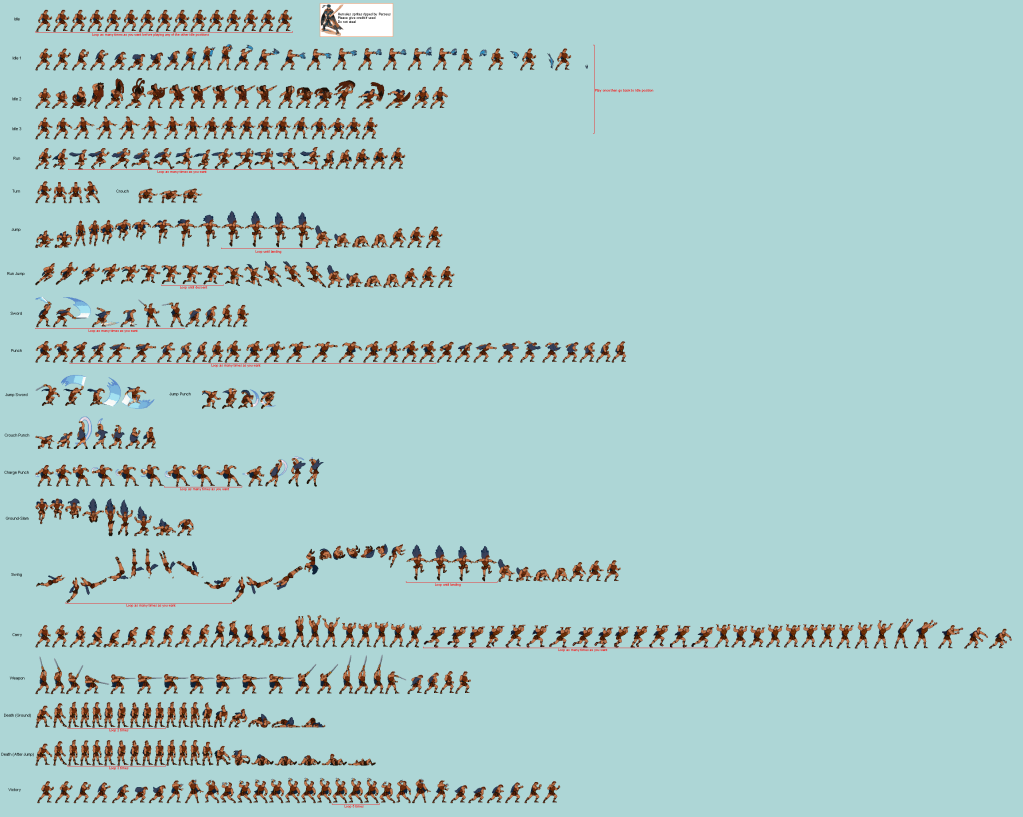
how can i devide it to create animation

i can make some smaller pictures like
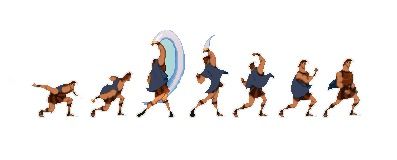
but it doesnt work, i try but still dunno how to adjust horizontal/vertical frames for them

Re: actor n background
Posted:
Mon Jun 11, 2012 6:15 amby MrJolteon
Each frame must be exactly the same size for it to work.
Re: actor n background
Posted:
Mon Jun 11, 2012 9:33 amby dzuncoi
can u explain more ? from this picture, how can i know what its size for each frame ?