Page 5 of 9

PostPosted: Wed Oct 11, 2006 12:21 am
by makslane
I'm working to use the same interface on both platforms

PostPosted: Wed Oct 11, 2006 12:31 am
by Joshua Worth
ok, thats good :D

PostPosted: Mon Oct 23, 2006 3:08 am
by Janet Merai
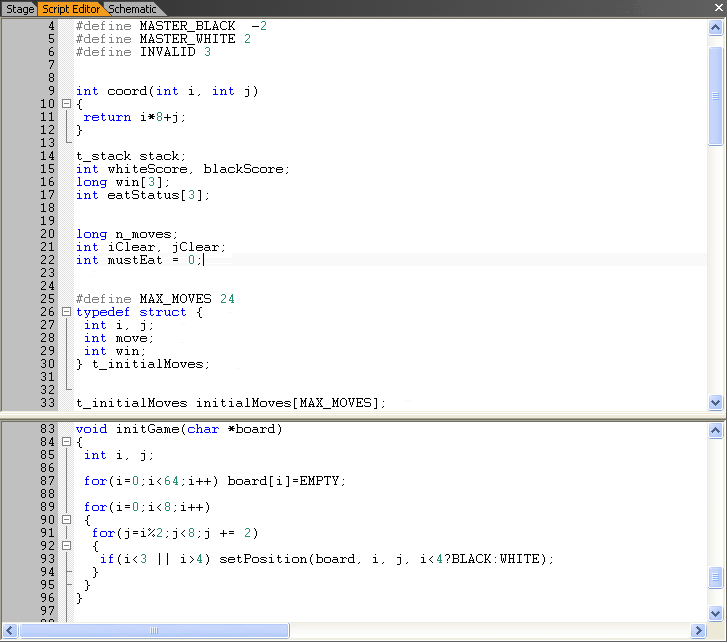
makslane wrote:Here's a screenshot of the new Script Editor:

Image

Do you have any plans on making a wizard for non-programmers? :)

Also, if you need help with graphical displays, I can help you on that :P
I'm an artist and designer :D

PostPosted: Mon Oct 23, 2006 3:14 am
by Janet Merai
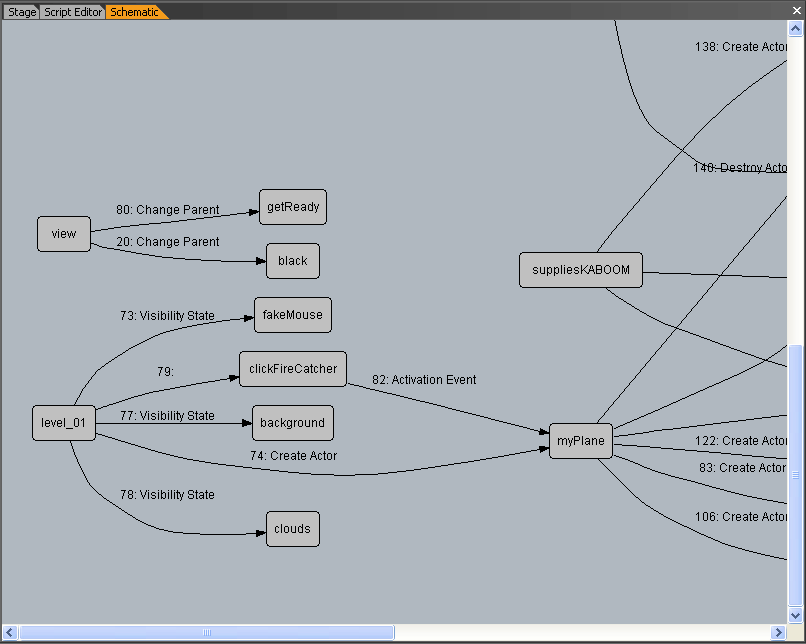
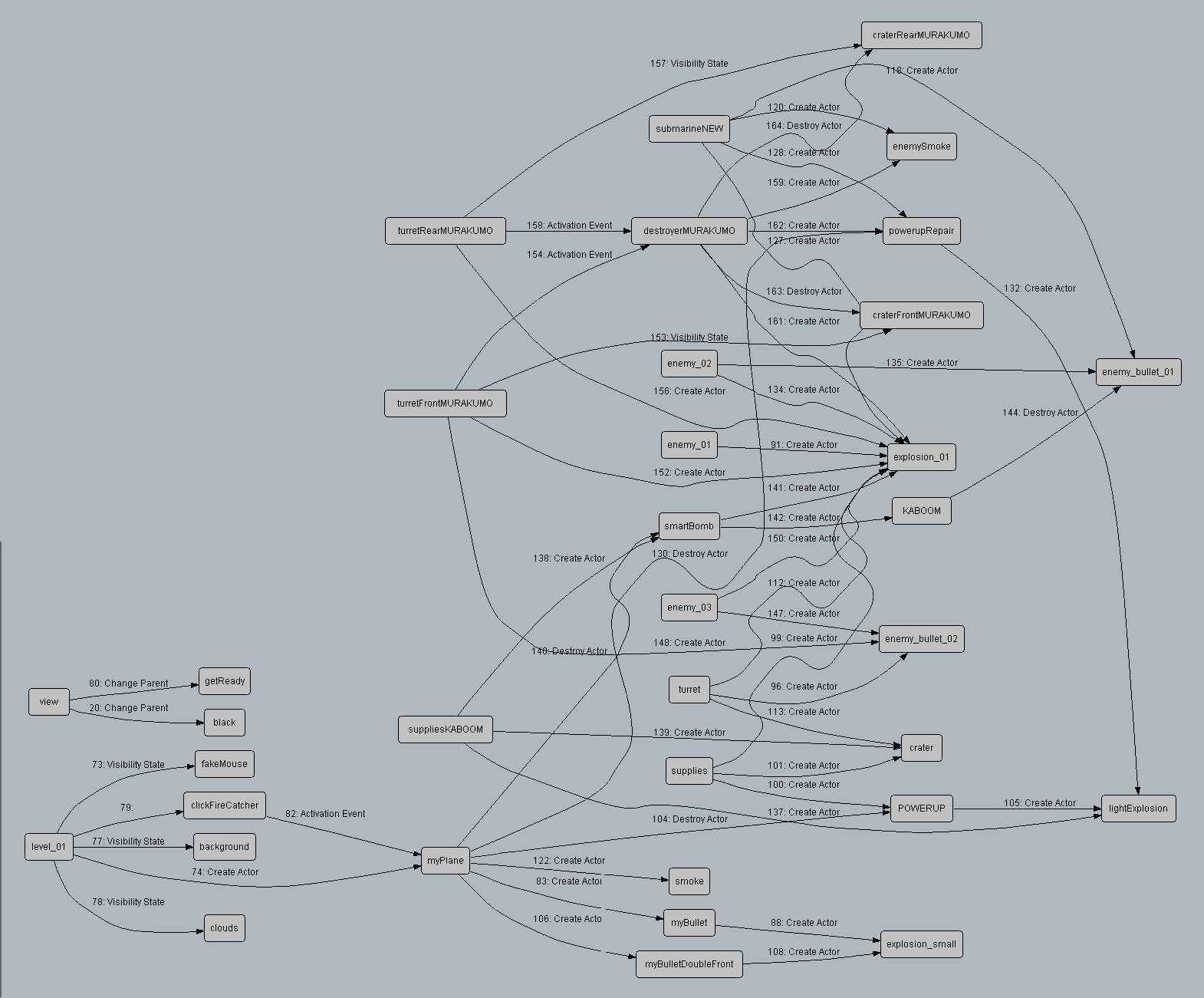
makslane wrote:There is a new panel called "Schematic". With Schematic you can see the actors relationships, like the actions between two actors.

Here a screenshot after execution of 1945 demo:
Image

You can see the complete graph here:
http://game-editor.com/images/screensho ... rface4.gif

I think what you did there is awesome Mak :D
Though for users like me who prefer to be extremly organized and neat, will there be a nested one too?

Example:

-------------------------
-Character A:
||
||
| - Shoot bullet
| | - Make bullet disappear
|
Character B:
|
- Recieve money

-------------------------

This would make game creation a snap to me, do you plan on doing that as well?

PostPosted: Mon Oct 23, 2006 3:25 am
by makslane
will there be a nested one too?


I think so

PostPosted: Mon Oct 23, 2006 3:26 am
by makslane
Do you have any plans on making a wizard for non-programmers?


Wizards, templates and other tools

PostPosted: Mon Oct 23, 2006 7:00 pm
by Janet Merai
That is awesome Mak :D

Just where do you get your drive to improve this program so much?
I know other programmers fret at improving their programs based on user expression :P

PostPosted: Mon Oct 23, 2006 9:35 pm
by Janet Merai
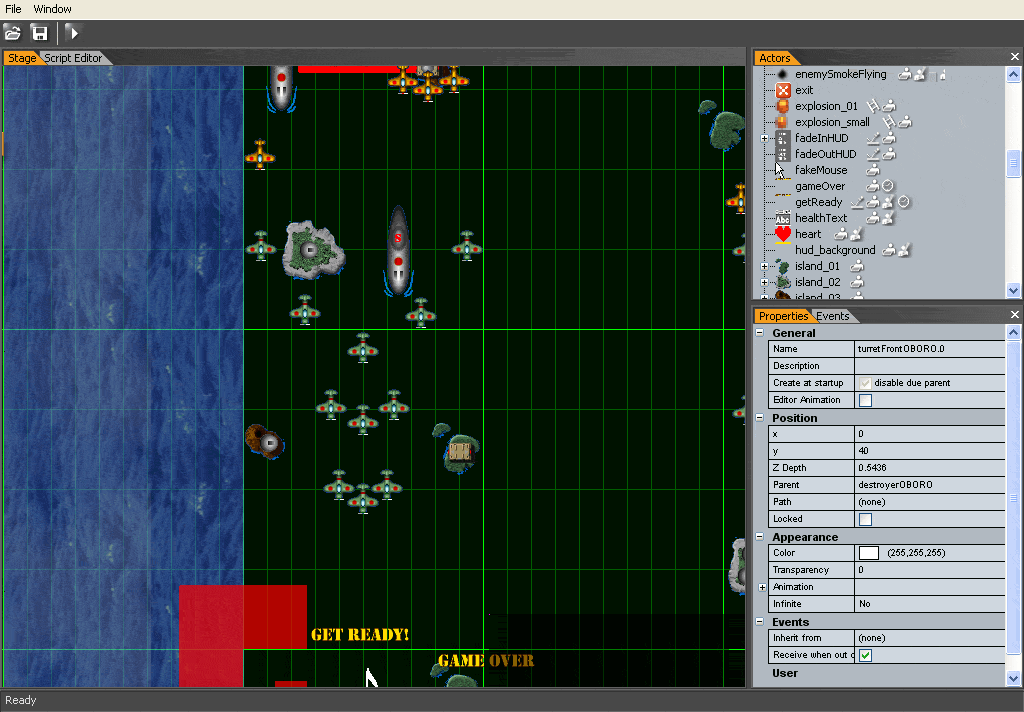
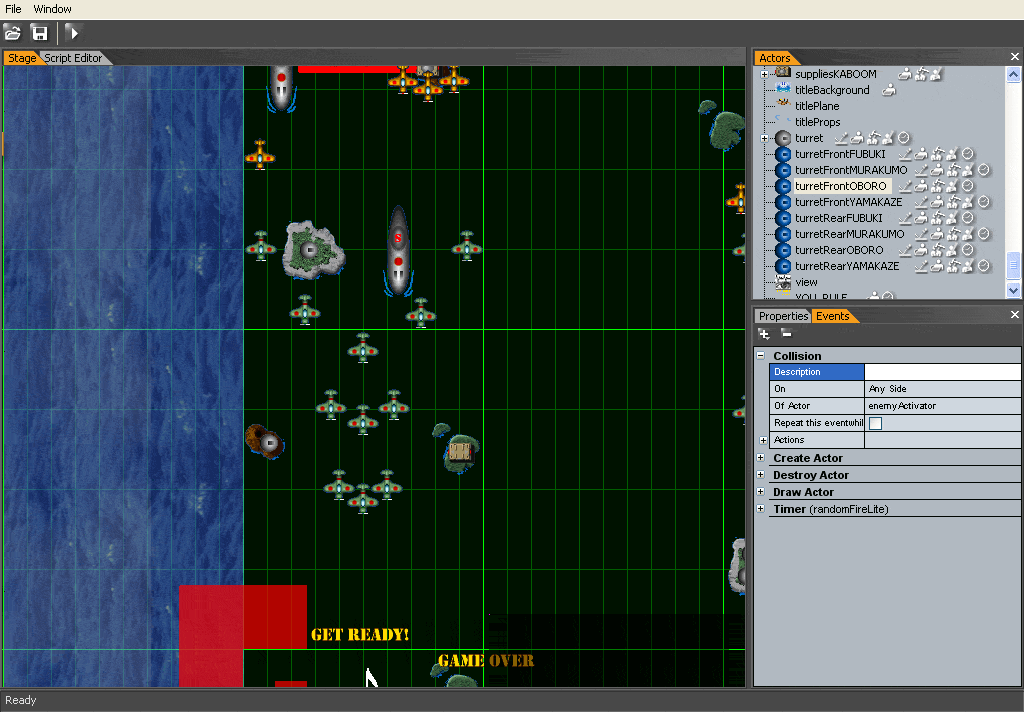
makslane wrote:Some thing like this:

Image
Image

Hey Mak, I have yet another question :)

With regards to the first and second image, when you select a named actor does a caption of the name or preferred name show up where you may want to specify where names go on it?

Like, say you alter the captions alignment and stuff, example:

Fist 1 Fist 2
[IMAGE] [IMAGE] [IMAGE] Fist 3 [IMAGE] (etc.)
Fist 4

Or an arrow animated or not:
-> [IMAGE] ->(pointing down-right) [IMAGE]

Or a highlight behind the image animated or not:
< (IMAGE) >

Would you be able to do that with an available on/off feature?

And the part where the images are given attention to with those said features, it would be awesome if they were both animated in the actual editor part (where all the actors and regions are) and the nested/schematic/etc. views are :)

PostPosted: Mon Oct 23, 2006 10:06 pm
by makslane
Sorry, but I'm not understanding what is your point.

PostPosted: Mon Oct 23, 2006 10:57 pm
by Janet Merai
I will explain in better detail for you :)

Okay, like on the first two images you posted look at the "Actors" tab highlighted in "orange" on the right side.
There is a nested view of all actors.

Say if you selected an actor in the "Actor" view/tab, then on the left side, where all those planes plus the "GET READY!" and "GAME OVER" titles are inside the "Stage" tab/view, what you select in the "Actors" tab highlights or captions the same "Actor" object(s) in the "Stage" view so you see exactly where the actor is :)

Does that make anything clearer to you? :)

PostPosted: Mon Oct 23, 2006 11:25 pm
by makslane
Sure!

PostPosted: Tue Oct 24, 2006 12:16 am
by Janet Merai
I'm glad you like it Mak :D

I would be great if you did it for the "Stage" view too in reverse or just click an actor in the "Stage" view and it highlights on both or one area(s) :)

PostPosted: Tue Oct 24, 2006 12:30 am
by makslane
Works in both ways

PostPosted: Tue Oct 24, 2006 12:38 am
by Janet Merai
Thank you Mak :D

I look forward to your new update :)

PostPosted: Thu Nov 02, 2006 9:55 am
by Joshua Worth
Maybe you could make a teaser video of the new interface, or if you can, release a beta version! :D