Page 2 of 9

Posted:
Sat May 20, 2006 3:49 pmby makslane
I don't know if will be possible release the interface and engine improvements at same time.
Posted:
Sun May 21, 2006 3:21 pmby duracel92
About the new interface, when it is released, will you still be able to have the orange one, for nostalgia reasons... I like the orange because of its simplicity.
Posted:
Sun May 21, 2006 5:09 pmby irblinx
More importantly, with the big change will we still have backward compatibility with previously created GED files?
Posted:
Sun May 21, 2006 9:56 pmby Joat_Mone
Also will people with lower resolutions (800x600) still be able to use it, or will the new version require a higher resolution?
Posted:
Mon May 22, 2006 12:02 amby Game A Gogo
Joat_Mone wrote:Also will people with lower resolutions (800x600) still be able to use it, or will the new version require a higher resolution?
I tink so, if you look at the screen shots, they are 640x480

Posted:
Mon May 22, 2006 12:21 amby makslane
duracel92 wrote:About the new interface, when it is released, will you still be able to have the orange one, for nostalgia reasons... I like the orange because of its simplicity.
I don't think so!
Posted:
Mon May 22, 2006 12:22 amby makslane
irblinx wrote:More importantly, with the big change will we still have backward compatibility with previously created GED files?
Sure! All games will be loaded in new version.
Posted:
Mon May 22, 2006 12:23 amby makslane
Joat_Mone wrote:Also will people with lower resolutions (800x600) still be able to use it, or will the new version require a higher resolution?
No problem
Posted:
Mon May 22, 2006 1:46 amby Joat_Mone
I tink so, if you look at the screen shots, they are 640x480 Wink
But that way is way to easy....
No problem
Thank you makslane. You always support the community and that is rare. (not for you though...)
Posted:
Mon May 22, 2006 5:42 pmby Diana Kennedy
Real cool, Makslane. I am looking forward for the new release!
Posted:
Tue Jul 18, 2006 5:54 amby Joshua Worth
could you please give us some updates on the screenshots?
Posted:
Tue Jul 18, 2006 1:04 pmby makslane
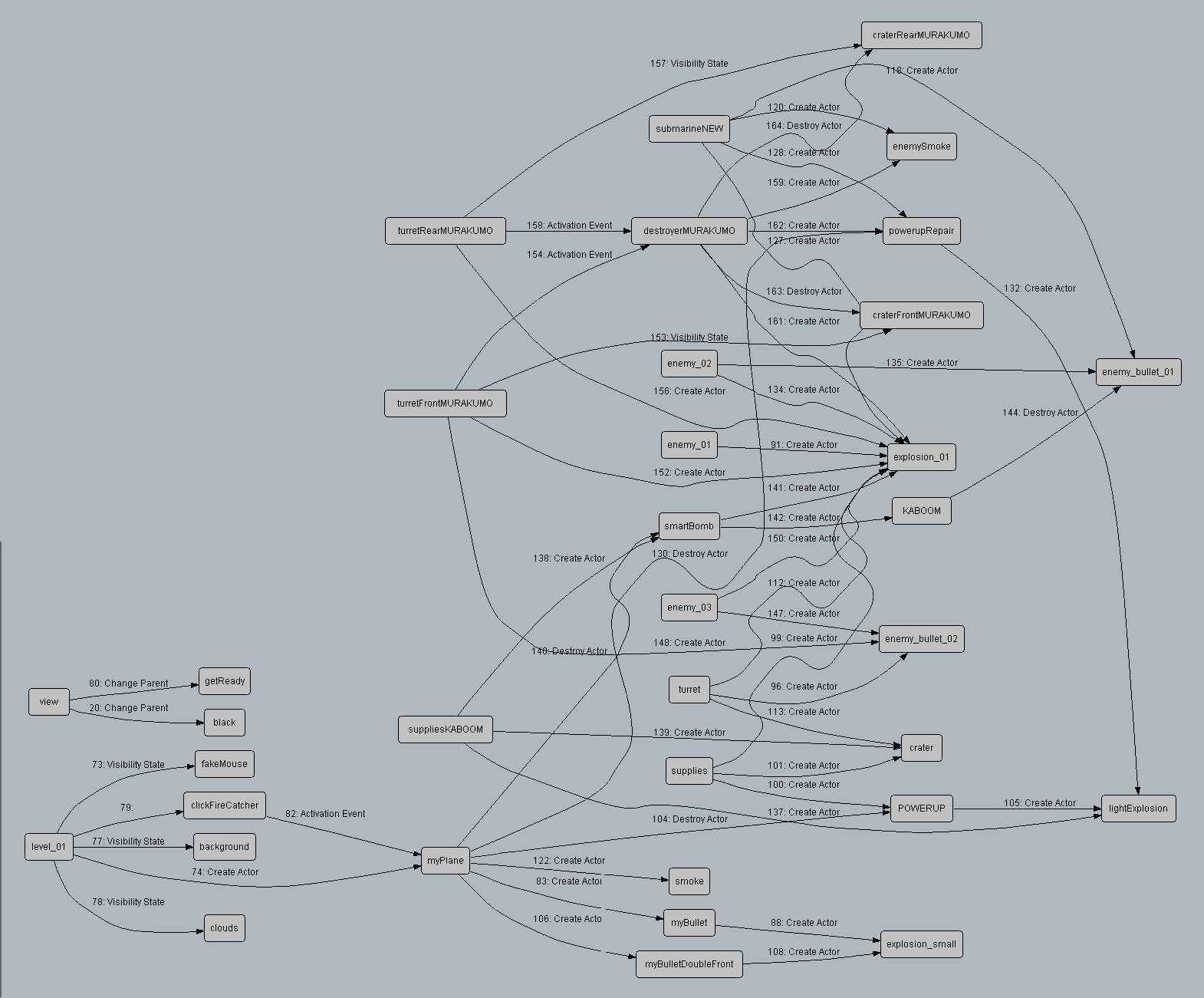
There is a new panel called "Schematic". With Schematic you can see the actors relationships, like the actions between two actors.
Here a screenshot after execution of 1945 demo:
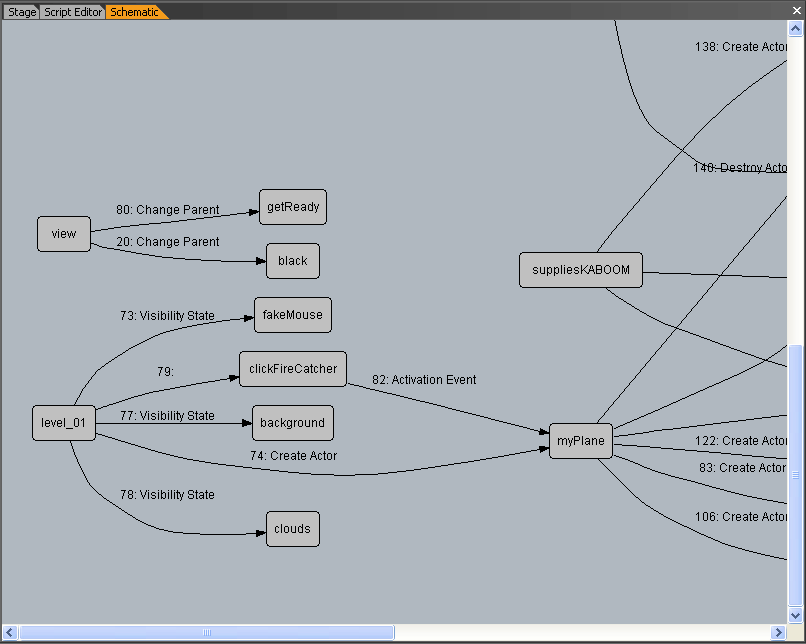
You can see the complete graph here:
http://game-editor.com/images/screensho ... rface4.gif
Posted:
Tue Jul 18, 2006 9:25 pmby marathon332
Makslane:
This looks very useful. Was it one of the feature requests or was it your idea?
I also liked your previous screenshot of the properties dialogs...
Keep up the good work!
Can hardly wait for the beta/release version...
--Steve
http://treo700wsoftware.net
Posted:
Tue Jul 18, 2006 11:17 pmby makslane
The Schematic panel try give a better understanding of unknown games.
So, if you need see how a old game works, or a game sent to you, it's a useful tool.
There is some requests to show actors relations, I hope the Schematic panel can solve the problem.
Posted:
Wed Jul 19, 2006 12:17 amby DilloDude
Sounds like a great idea. Although it could get confusing with a lot of squiggly lines everywhere.