Page 3 of 5

Re: 3D Objects in Game Editor

PostPosted: Thu Jan 19, 2012 7:30 pm
by tintran
Hblade wrote:This just keeps getting better. the performance is NICE too!

Thanks

Hblade wrote:Now if only you could possibly get it to be in full color and texture probably using something similar to the BMP Loading thing that DST made,

The only texture i see is Game A GoGo's bitmap that was merged into the 3d racing topic of BeeAnt's, it only had the .exe with no code so i have no clue know how to do texture.

Hblade wrote:but heck I wouldn't have the slightest clue how, or how you did this for that matter. I tried reading your code and got super confused haha.

If you let me know which part you're confused about i can explain in detail.

Hblade wrote:Your an amazing programmer, your going to make awesome games in the future

I can't guarantee anything :), Tetris is about as advanced as i can do which remains very simple.

Re: 3D Objects in Game Editor

PostPosted: Thu Jan 19, 2012 7:32 pm
by tintran
@Supersonic: i can't seem to download your file. it just pops up with 4 links to download and then i click on those and i get a page opening but the download doesn't pop-up.
edit: never mind, i see it now!

Re: 3D Objects in Game Editor

PostPosted: Thu Jan 19, 2012 7:35 pm
by Hblade
For now but tin, your passion for programming will lead to a great sucess in programming and game development :P My passion is in martial arts, so every time someone tries to explain something to me about programing it just goes in 1 ear and out the other, or rather in 1 eye and out the other in this case. I've tried many times to become an advanced programmer but I can't seem to find the patience. The only time I DO find the patience is when I get serious about a project and I need to find out how to do a function. Otherwise, I can't seem to focus enough. My attention span becomes low then. But thank you for offering to explain ^^

Re: 3D Objects in Game Editor

PostPosted: Thu Jan 19, 2012 7:45 pm
by Game A Gogo
tintran wrote:
Hblade wrote:Now if only you could possibly get it to be in full color and texture probably using something similar to the BMP Loading thing that DST made,

The only texture i see is Game A GoGo's bitmap that was merged into the 3d racing topic of BeeAnt's, it only had the .exe with no code so i have no clue know how to do texture.

Unfortunatly, my Mode 7 demo wouldn't work with yours, plus my code isn't exactly perfect since the middle of the camera is on the extreme left

viewtopic.php?f=6&t=9735

Re: 3D Objects in Game Editor

PostPosted: Thu Jan 19, 2012 8:12 pm
by tintran
here ya go SuperSonic.
chest opening animation.

Re: 3D Objects in Game Editor

PostPosted: Thu Jan 19, 2012 8:16 pm
by Hblade
I'm incredibly impressed at the performance as well. runs perfectly at 60FPS after editing the frame rate.

Re: 3D Objects in Game Editor

PostPosted: Sun Jan 22, 2012 8:45 pm
by SuperSonic
Tintran, you are an amazing programmer. You earned all of my respect with that last demo. I can only dream of doing things like that. So keep it man and +1 :wink:

Re: 3D Objects in Game Editor

PostPosted: Fri Jan 27, 2012 6:02 pm
by SuperSonic
Hey Tintran, you havn't forgotten about this right? :roll:

Re: 3D Objects in Game Editor

PostPosted: Sun Jan 29, 2012 5:42 am
by tintran
@SuperSonic what do you mean by forgotten about this? i don't think i can add anything more to this screensaver/wireframe viewer.

Re: 3D Objects in Game Editor

PostPosted: Sun Jan 29, 2012 7:55 pm
by tintran
@Hblade: do you have a link to BMP loading thing by DST that you mentioned?

Re: 3D Objects in Game Editor

PostPosted: Sun Jan 29, 2012 8:53 pm
by SuperSonic
tintran wrote:@SuperSonic what do you mean by forgotten about this? i don't think i can add anything more to this screensaver/wireframe viewer.

Add the ability to have more than one object :D

And if that's too easy for you, I have a whole list of other things xD

Re: 3D Objects in Game Editor

PostPosted: Sun Jan 29, 2012 9:47 pm
by Game A Gogo
here is a code I made for loading BMP's a while back, I think it's more versatile than DST's (If I recall it could only load certain sizes?)

This code should have no problem loading 24-bit and 32-bit bitmaps saved with variable sized headers.

Code: Select all
short int BG_BMP[1024][1024][4],BGImgBPP;
int BGImgW,BGImgH;
void ImpBGBmp(char*dir)
{
    int BmpHeader[64], i,j;
    FILE*TBMP=fopen(dir, "r+b");
    for(i=0; i<64; i++)
    {
        BmpHeader[i]=fgetc(TBMP);
    }
    if(BmpHeader[0]==66 && BmpHeader[1]==77)//Checks if this really is a bmp!
    {
        BGImgW=BmpHeader[18]+BmpHeader[19]*256;
        BGImgH=BmpHeader[22]+BmpHeader[23]*256;
        BGImgBPP=BmpHeader[28];
        fseek(TBMP, BmpHeader[10], SEEK_SET);
        for(i=BGImgH-1; i>=0; i--)
        {
            for(j=0; j<BGImgW; j++)
            {
                BG_BMP[j][i][0]=fgetc(TBMP);
                BG_BMP[j][i][1]=fgetc(TBMP);
                BG_BMP[j][i][2]=fgetc(TBMP);
                if(BGImgBPP==32)
                {
                    BG_BMP[j][i][3]=fgetc(TBMP);
                    fseek(TBMP, BGImgW%4, SEEK_CUR);
                }
                else
                {
                    BG_BMP[j][i][3]=255;
                    fseek(TBMP, BGImgW%4, SEEK_CUR);
                }
 
            }
        }
    }
fclose(TBMP);
}

Re: 3D Objects in Game Editor

PostPosted: Sun Jan 29, 2012 11:27 pm
by tintran
@Supersonic: I was going for a single textured object as a final goal if possible.
@GameAGogo: thanks for the code, i was hoping maybe the loading of the BMP had anything that had to do with texture mapping portion that i could maybe learn from.
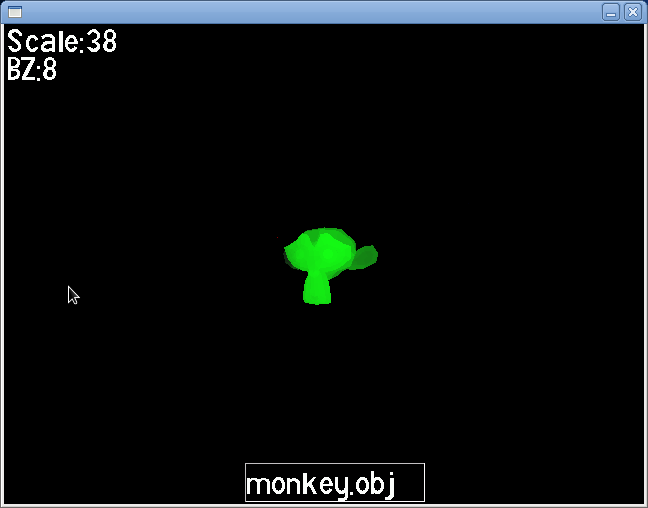
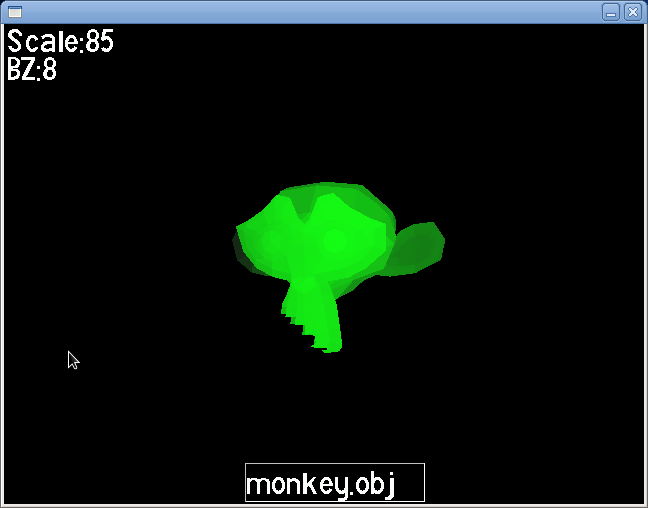
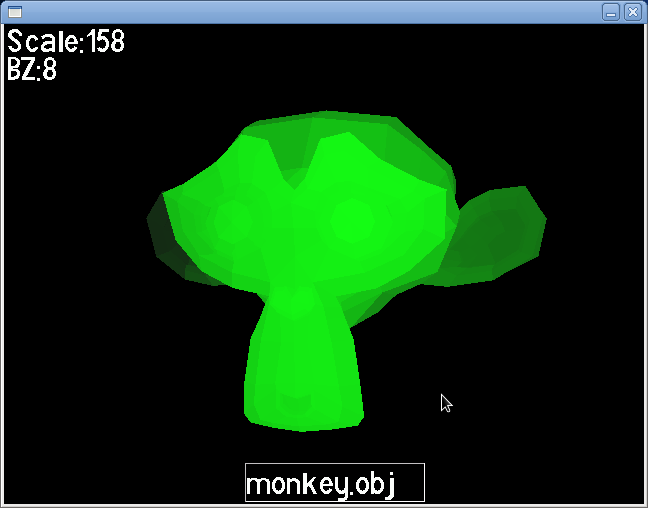
i tried doing a shaded model as the next step instead of a wireframe and it's buggy when scale is large, some polygones don't get drawn (I have no clue why this is happening :().
and it's really REALLY slow! (don't try to load something like teapot.obj it'll take forever!)
monkey2.png
monkey1.png

edit: no more bug.
Screenshot-Untitled Window.png
polyframe.zip
(397.31 KiB) Downloaded 277 times

Re: 3D Objects in Game Editor

PostPosted: Mon Jan 30, 2012 3:22 am
by SuperSonic
Dude, that's awsome! But yeah, it is slow. I noticed that the faces in the back are getting rendered. If you change that, it would dramatically increase speed :D

But +1 for your hard work :wink:

Re: 3D Objects in Game Editor

PostPosted: Mon Jan 30, 2012 7:47 pm
by tintran
thanks,
but i don't know how to decide which ones are at the back and the front, do you?